Action link
The figure and steps below explain how a shareable link to a bookmark position in a document is created in ONLYOFFICE Docs.
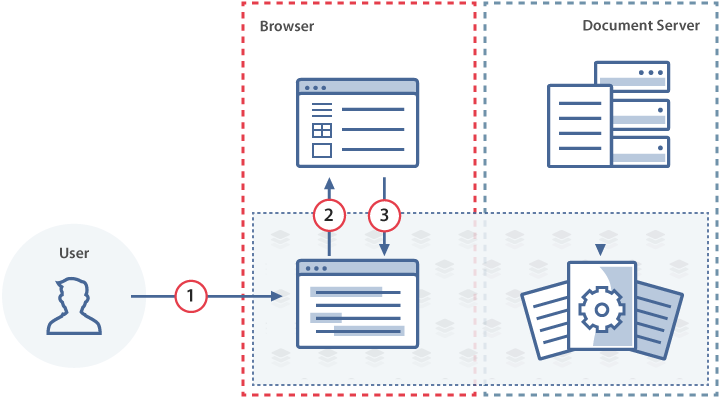
- The user clicks the Get link button in the bookmark editing menu of the document editor.
- The document editor fires the onMakeActionLink event, passing the bookmark data to the document manager.
- The document manager builds a URL that encodes the bookmark data and passes it back to the document editor via the setActionLink method.
- The document editor displays the link to the user.
How this can be done in practice
-
Create an
.htmlfile to open the document. -
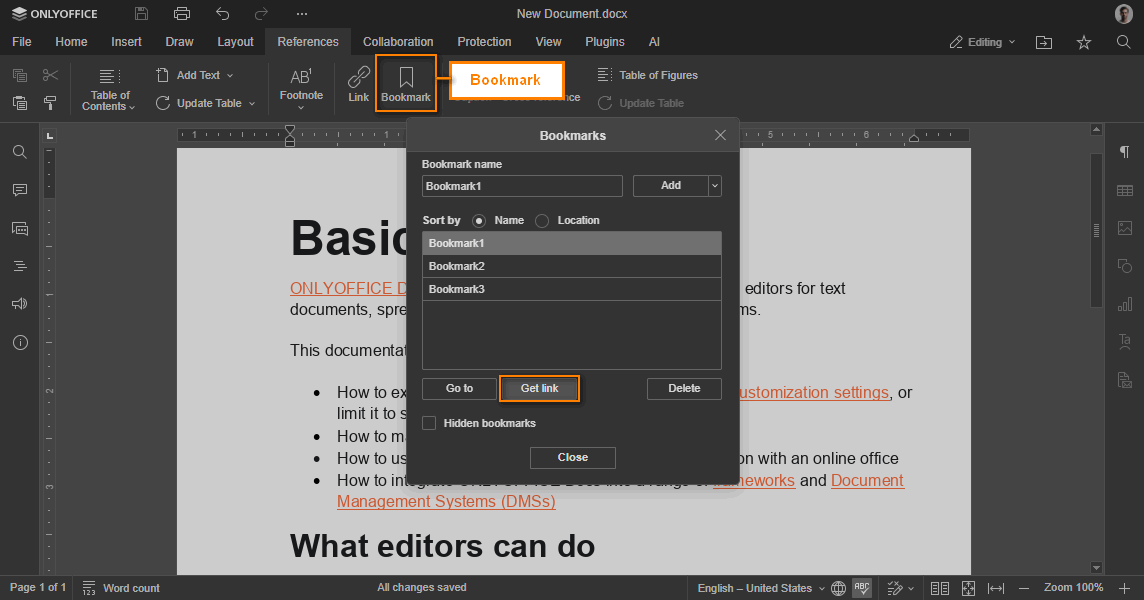
In the editor initialization config, define the onMakeActionLink event handler. When the user clicks Get link in the bookmark menu, the editor calls this handler with an
event.dataobject that describes the bookmark position. Your code must build a URL that encodes this data and pass it back to the editor via setActionLink: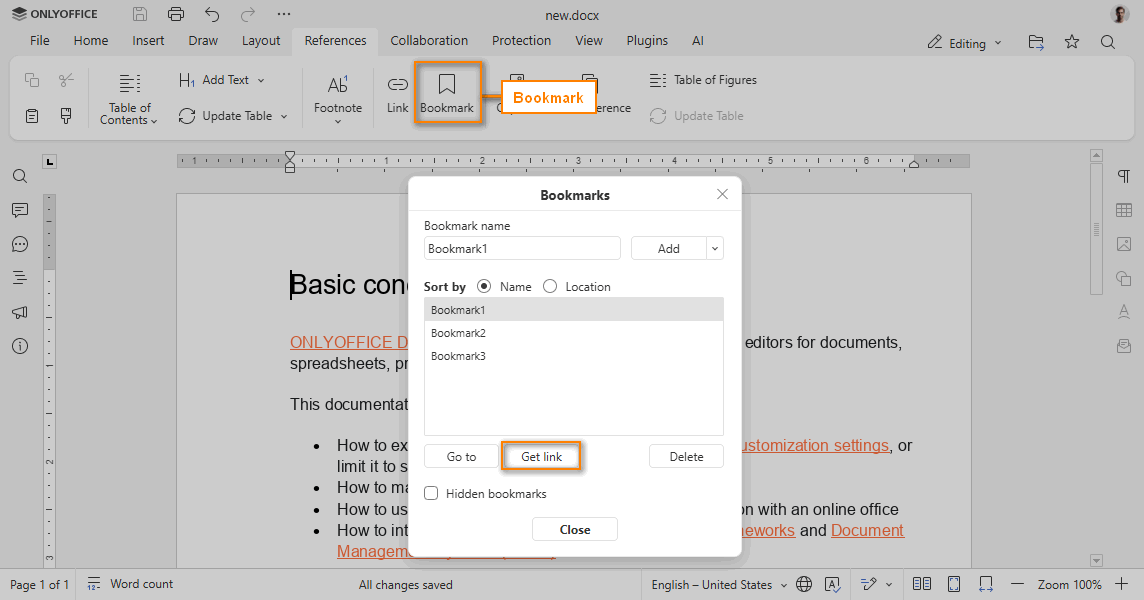
 function onMakeActionLink(event) {const ACTION_DATA = event.data;const link = GENERATE_LINK(ACTION_DATA);docEditor.setActionLink(link);}const config = {events: {onMakeActionLink,},};const docEditor = new DocsAPI.DocEditor("placeholder", config);
GENERATE_LINKis a placeholder for your server-side logic that builds a URL containing the bookmark data (for example, as a query-string parameter). When a user later opens that URL, your document manager must extract the data and pass it to the editor as described below.
Opening the bookmark
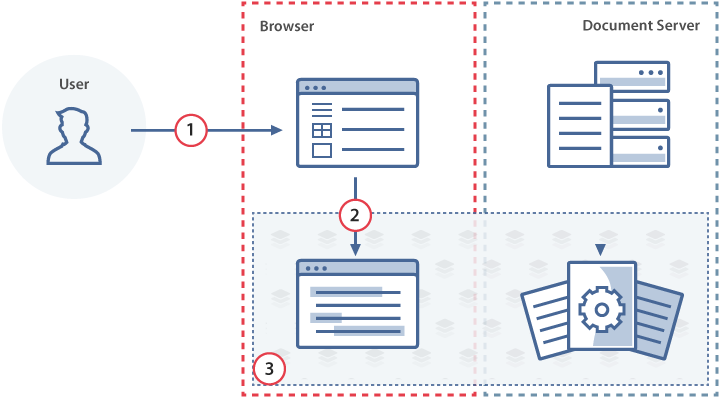
- The user opens the action link in the browser, which navigates to the document manager.
- The document manager initializes the document editor with the
configthat includes the bookmark data in theactionLinkparameter. - The document editor opens the document and scrolls to the bookmark.
To open a document at a bookmark position, pass the ACTION_DATA object (originally received from the onMakeActionLink event) as the value of editorConfig.actionLink:
const config = {
  editorConfig: {
    actionLink: ACTION_DATA,
  },
};

const docEditor = new DocsAPI.DocEditor("placeholder", config);
The link is generated in the same way when mentioning users in comments.