Mentions
The figure and steps below explain how the mentions feature works in ONLYOFFICE Docs.
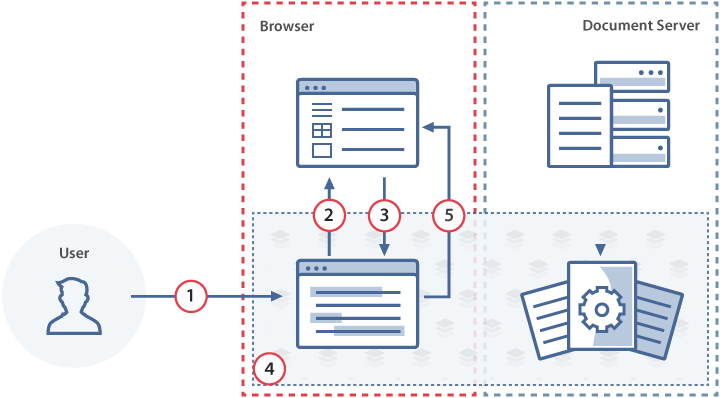
- The user types
+or@in the comment field of the document editor. - The document editor requests the list of users who can be mentioned from the document manager.
- The document manager returns the user list to the document editor, which displays it under the comment field.
- The user selects a name, writes a comment, and submits it.
- The document editor sends the comment text, the list of mentioned emails, and the action link data to the document manager.
How this can be done in practice
-
Create an
.htmlfile to open the document. -
In the editor initialization config, define the onRequestUsers event handler. When the user types
+or@in a comment, the editor calls this handler withevent.data.cset to"mention". Your code must respond by calling setUsers with the list of users who can be mentioned: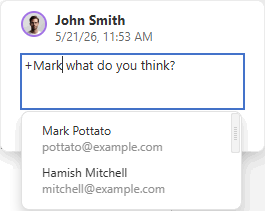
 function onRequestUsers(event) {docEditor.setUsers({c: event.data.c,users: [{email: "john@example.com",name: "John Smith",},{email: "kate@example.com",name: "Kate Cage",},],});}const config = {events: {onRequestUsers,},};const docEditor = new DocsAPI.DocEditor("placeholder", config);
 -
Define the onRequestSendNotify event handler to send notifications to mentioned users. When the user submits a comment that mentions someone, the editor calls this handler with:
event.data.message— the comment textevent.data.emails— the list of mentioned email addressesevent.data.actionLink— an object describing the comment position in the document
noteThe
+/@mention button in the comment field is only visible whenonRequestSendNotifyis set. In version 5.4,onRequestSendNotifycan only be used if onRequestUsers is set. Starting from version 5.5, both events can be set independently.function onRequestSendNotify(event) {const ACTION_DATA = event.data.actionLink;const comment = event.data.message;const emails = event.data.emails;NOTIFY_USERS(emails, comment, ACTION_DATA);}const config = {events: {onRequestSendNotify,},};const docEditor = new DocsAPI.DocEditor("placeholder", config);NOTIFY_USERSis a placeholder for your server-side logic that sends notifications to the mentioned users. IncludeACTION_DATAso that the notification link opens the document at the comment position.
Opening the comment
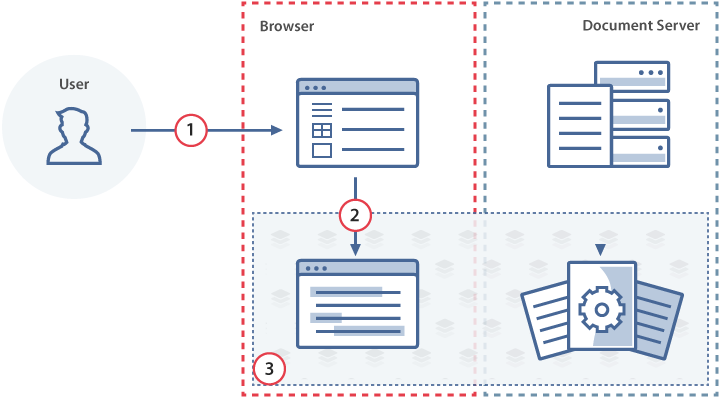
- The mentioned user opens the link from a notification (for example, an email), which navigates to the document manager.
- The document manager initializes the document editor with the
configthat includes the comment position data in theactionLinkparameter. - The document editor opens the document and scrolls to the comment.
As with action links, pass the actionLink object received from the onRequestSendNotify event as the value of editorConfig.actionLink:
const config = {
  editorConfig: {
    actionLink: ACTION_DATA,
  },
};

const docEditor = new DocsAPI.DocEditor("placeholder", config);
Sharing settings
When onRequestSendNotify fires, the integrator is responsible for granting the mentioned users access to the file and sending them a notification with the action link.
If the document config already includes a document.info.sharingSettings list and the set of users changes after mentioning, call setSharingSettings to update the displayed sharing list:
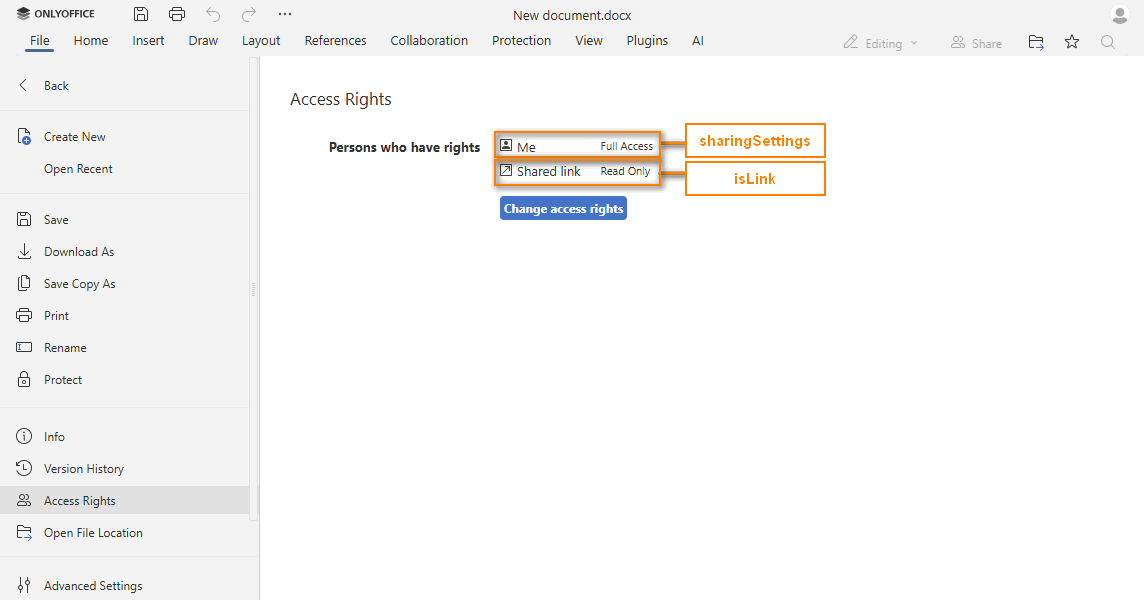
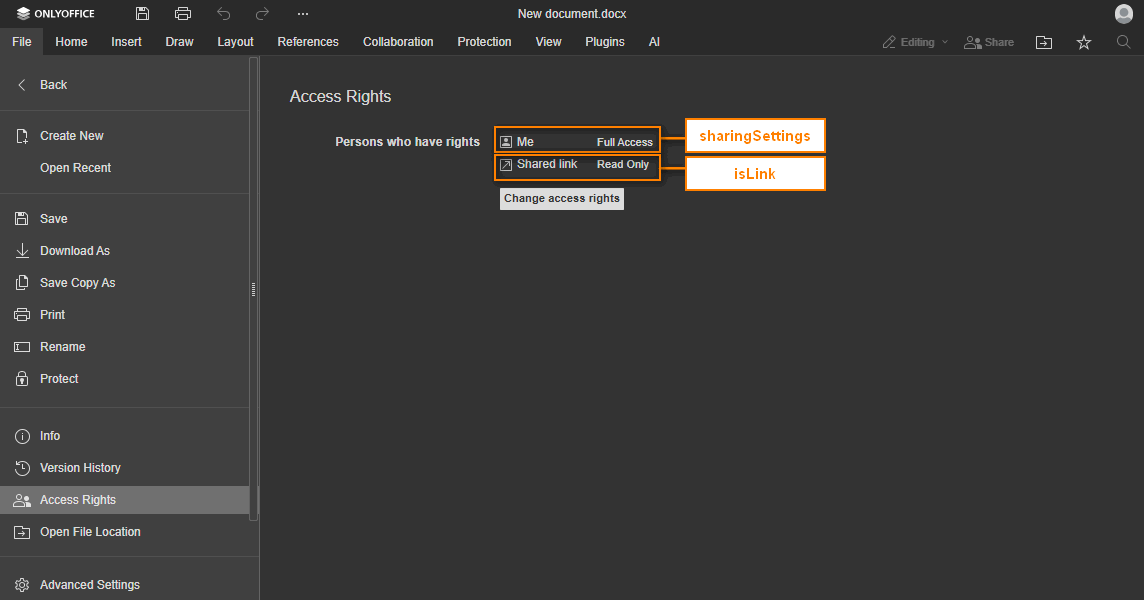
docEditor.setSharingSettings({
  sharingSettings: [
    {
      permissions: "Full Access",
      user: "John Smith",
    },
    {
      isLink: true,
      permissions: "Read Only",
      user: "External link",
    },
  ],
});
If onRequestSendNotify does not grant file access to mentioned users, set mentionShare to false to hide the sharing UI in comments.

