Renaming file
The figure and steps below explain how a document is renamed in ONLYOFFICE Docs.

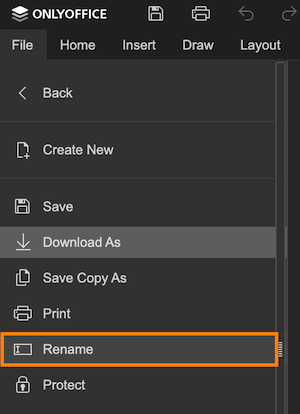
- The user selects Rename... in the document editor.
- The document editor sends the new name to the document manager via the onRequestRename event.
- The document manager sends the new name to the document storage service, where the integrator renames the file.
- The document storage service sends a meta command to the document command service to update the document name.
- The document editing service sends the new name to each user's document editor via the onMetaChange event, making it visible to all users.
How this can be done in practice
-
Create an
.htmlfile to open the document. -
In the editor initialization config, define the onRequestRename event handler. When the user selects Rename... in the editor menu, this event fires with the new name (without the file extension) in
event.data. In the handler, send the new name to your server so it can rename the file in the document storage service.
 function onRequestRename(event) {const newTitle = event.data;RENAME_FILE(newTitle);}const config = {events: {onRequestRename,},};const docEditor = new DocsAPI.DocEditor("placeholder", config);
RENAME_FILEis a placeholder for your server-side logic that renames the document in the document storage service. -
After renaming the file, send a request from your server to the document command service with the meta command to update the name for all users editing the document:
{"c": "meta","key": "Khirz6zTPdfd7","meta": {"title": "Example Document Title.docx"}} -
When the meta command is received, the onMetaChange event fires in each user's document editor. The new name is passed in
event.data.title.function onMetaChange(event) {const title = event.data.title;}const config = {events: {onMetaChange,},};const docEditor = new DocsAPI.DocEditor("placeholder", config);