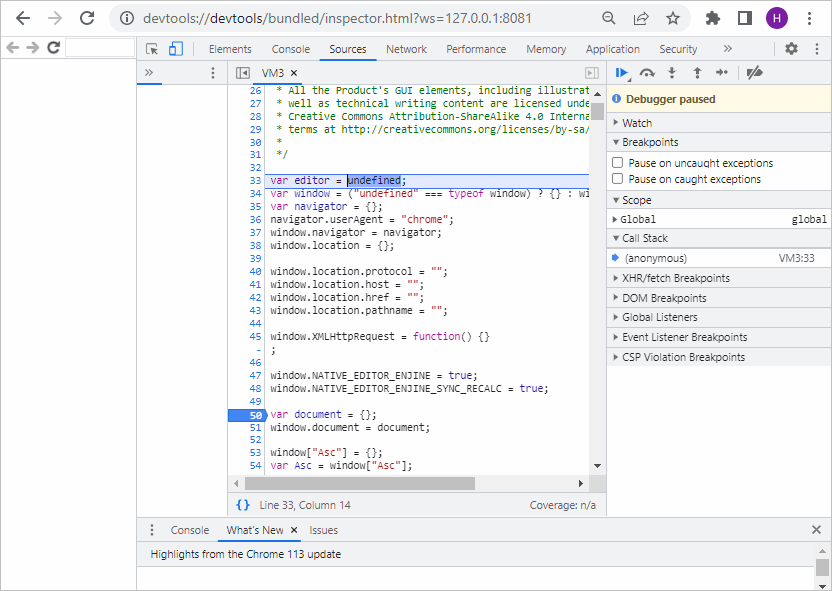
Debugging
You can debug Document Builder scripts executed via CLI. To do this, follow the instructions below.
-
Open a terminal in the DocumentBuilder folder.
-
Set the
V8_USE_INSPECTORenvironment variable to1and run the script:- Windows
- Linux
- macOS
SET V8_USE_INSPECTOR=1docbuilder.exe script.jsexport V8_USE_INSPECTOR=1documentbuilder script.jsexport V8_USE_INSPECTOR=1documentbuilder script.js -
A link will appear in the terminal. Open it in your Chrome/Chromium browser to connect to the JavaScript context.

-
Set the breakpoints by clicking the line numbers and run your script again.
-
Now you can debug the executed methods.