Adding custom functions
Starting from version 8.1, you can add custom functions to the spreadsheets using the Macros plugin.
Creating custom functions
-
Open the View tab and select Macros. The macros window will pop up.
-
In the Custom functions section, click

 . You will be presented with the custom function template:
(function()
{
/**
* Function that returns the argument
* @customfunction
* @param {any} arg Any data.
* @returns {any} The argument of the function.
*/
function myFunction(arg) {
return arg;
}
Api.AddCustomFunction(myFunction);
})(); -
Write a description for your function, specify the parameters and return value if necessary. Add a script for your function. Use the Api.AddCustomFunction method to add a function to the system.
-
Click Save.
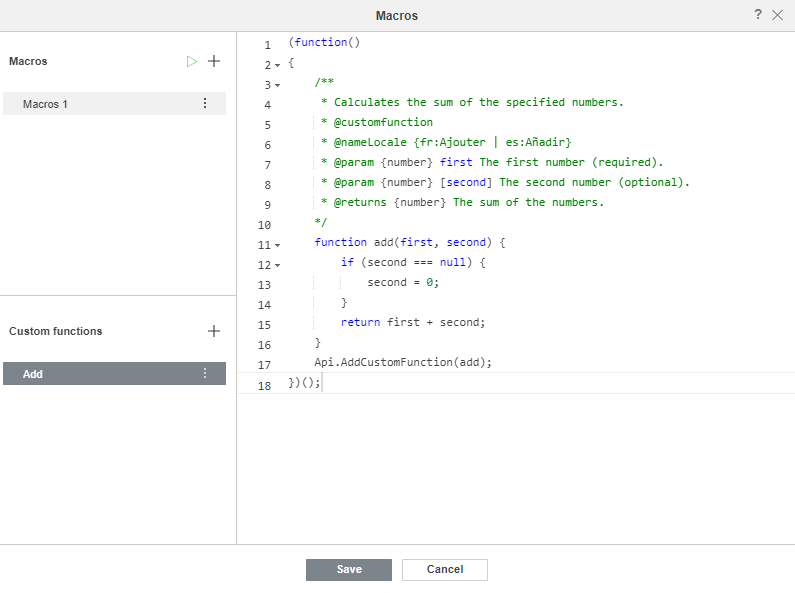
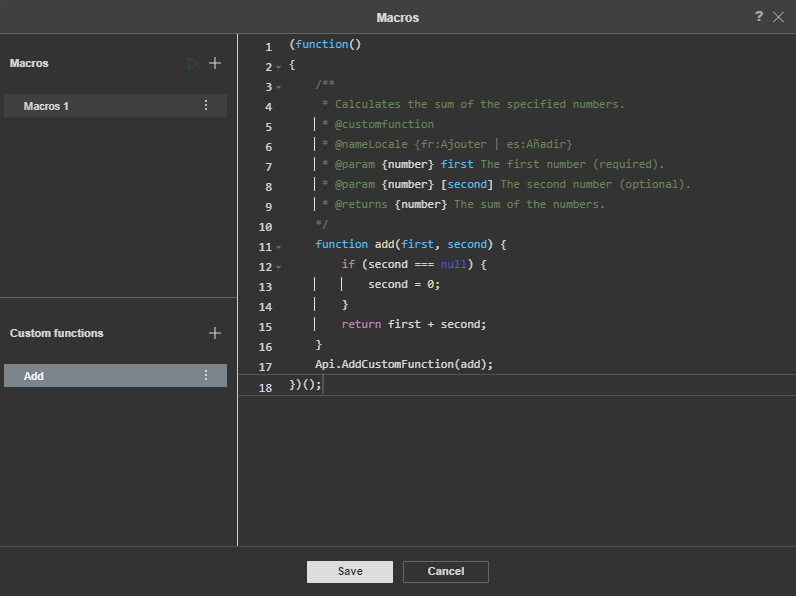
Now you can use this function in the spreadsheet.


You can find a sample of a custom function here.
Accessing cell addresses
Starting from version 9.0.4, you can access cell address information inside custom functions.
The following properties are available:
-
this.address— the address of the cell where the custom function is being calculated (e.g.,"C5"); -
this.args— an array of input arguments. Each argument object includes avaluefield with the argument value and anaddressfield with the address of the source cell (e.g.,"A1"). This array has the following structure:[
{"value": "arg1_value", "address": "arg1_address"},
{"value": "arg2_value", "address": "arg2_address"},
...
]
Example:
(function()
{
  /**
  * Function that returns the argument
  * @customfunction
  * @param {any} arg1 Any data.
  * @param {any} arg2 Any data.
  * @returns {any} The argument of the function.
  */
  function CUSTOMFUNC(arg1, arg2) {
    console.log("Function is evaluated in:", this.address);
    this.args.forEach(arg => {
      console.log("Argument value:", arg.value, "from cell:", arg.address);
    });
  }
  Api.AddCustomFunction(CUSTOMFUNC);
})();
Managing custom functions
If you want to rename your function, click 
 next to the custom function name and select Rename. Enter a new name for the custom function and click Ok.
To delete an unnecessary custom function, click next to the custom function name and select Delete.
You can also copy your function. To do this, click next to the custom function name and select Copy.


Asynchronous functions
Starting from version 9.0, you can add asynchronous custom functions to manage any request within the function body.
(function()
{
  /**
  * Function that returns the argument
  * @customfunction
  * @param {any} arg Any data.
  * @returns {any} The argument of the function.
  */
  async function myFunction(arg) {
    return arg;
  }
  Api.AddCustomFunction(myFunction);
})();
You can find a sample of an asynchronous custom function here.