Configuration
The config.json file is plugin configuration file containing the information about the main plugin data needed to register the plugin in the editors.
baseUrl
Type: string
Path to the plugin. All other paths are calculated relative to this path. If baseUrl == "", the path to the plugin in the default sdkjs-plugins folder will be used.
Example: ""
group
Type: object
Plugin group that is separated from other plugins in the Plugins tab. The first group usually includes the Plugin Manager and Background plugins, if they exist. Other plugins are placed after them in the second group. You can add as many groups as you need. If this parameter is omitted, the plugin will be added to the last group.
Example:
{
  "name": "group name",
  "rank": 2
}
group.name
Type: string
The group name.
Example: "group name"
group.rank
Type: number
The group rank in the Plugins tab, an integer starting from 1.
Example: 2


guid
Type: string
Plugin identifier. It must be of the asc.{UUID} type.
Example: "asc.{FFE1F462-1EA2-4391-990D-4CC84940B754}"
help
Type: string
Path to the plugin help page. If the parameter is specified, the help button is displayed in the plugin window. When the user clicks the button, he follows the link to the plugin help page.
Example: "url_to_help_page"


minVersion
Type: string
The minimum editor version which supports the current plugin.
Example: "6.3.0"
name
Type: string
Plugin name which will be visible at the plugin toolbar.
Example: "plugin name"
nameLocale
Type: localeTranslate
Translations for the name field. The object keys are the two letter language codes (ru, de, it, etc.) and the values are the plugin name translation for each language.
Example: { "fr": "french plugin name" }
localeTranslate
Type: object
The translations for the text field. The object keys are the two letter language codes (ru, de, it, etc.) and the values are the button label translation for each language.
Example:
{
  "variations": [
    {
      "name": "plugin name",
      "nameLocale": {
        "fr": "french plugin name",
        "es": "spanish plugin name"
      }
    }
  ]
}
offered
Type: string
Plugin author who proposed the plugin for publication.
Example: "John Smith"
onlyofficeScheme
Type: boolean
Specifies whether the plugin is included in the server or desktop builds branded as ONLYOFFICE.
Example: true
variations
Type: array of object
Plugin variations, or subplugins, that are created inside the origin plugin. More information you can find here.
Example:
[
  {
    "buttons": [
      {
        "text": "Cancel",
        "primary": false,
        "isviewer": false,
        "textLocale": {
          "fr": "Annuler",
          "es": "Cancelar"
        }
      }
    ],
    "cryptoDisabledForExternalCloud": "true",
    "cryptoDisabledForInternalCloud": "true",
    "cryptoDisabledOnStart": "true",
    "cryptoMode": "1",
    "description": "plugin description",
    "descriptionLocale": {
      "fr": "french plugin description",
      "es": "spanish plugin description"
    },
    "EditorsSupport": ["word", "cell", "slide", "pdf"],
    "events": ["onClick"],
    "icons": "url_to_icon",
    "initData": "",
    "initDataType": "ole",
    "initOnSelectionChanged": true,
    "isCustomWindow": true,
    "isDisplayedInViewer": true,
    "isUpdateOleOnResize": true,
    "isViewer": true,
    "size": [600, 700],
    "store": {
      "background": {
        "light": "#F5F5F5",
        "dark": "#444444"
      },
      "categories": ["specAbilities", "work"],
      "icons": {
        "light": "resources/store/icons",
        "dark": "resources/store/icons"
      },
      "screenshots": ["resources/store/screenshots/screen_1.png"]
    },
    "type": "background",
    "url": "index.html"
  }
]
variations.buttons
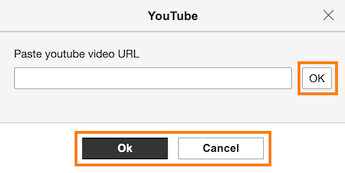
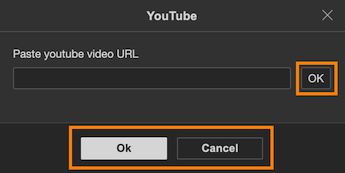
Type: array of Button
The list of skinnable plugin buttons used in the plugin interface. This parameter is used only for plugin windows and panels, i.e. when the type parameter is window, panel, or panelRight.
Example:
[
  {
    "text": "Cancel",
    "primary": false,
    "isviewer": false,
    "textLocale": {
      "fr": "Annuler",
      "es": "Cancelar"
    }
  }
]
Button
Type: object
The skinnable plugin button used in the plugin interface (used for visual plugins with their own window only, i.e. isVisual == true and isInsideMode == false).
| Name | Type | Description |
|---|---|---|
| text | string | The label which is displayed on the button. |
| primary | boolean | Defines if the button is primary or not. The primary flag affects the button skin only. |
| isViewer | boolean | Defines if the button is shown in the viewer mode only or not. |
| textLocale | localeTranslate | Translations for the text field. The object keys are the two letter language codes (ru, de, it, etc.) and the values are the button label translation for each language. |
Example:
{
  "variations": [
    {
      "buttons": [
        {
          "text": "Cancel",
          "primary": false,
          "isviewer": false,
          "textLocale": {
            "fr": "Annuler",
            "es": "Cancelar"
          }
        }
      ]
    }
  ]
}
variations.cryptoDisabledForExternalCloud
Type: string
Specifies whether the encryption for the third-party clouds is disabled.
Example: "true"
variations.cryptoDisabledForInternalCloud
Type: string
Specifies whether the encryption for the local files is disabled.
Example: "true"
variations.cryptoDisabledOnStart
Type: string
Specifies whether the encryption is disabled upon startup.
Example: "true"
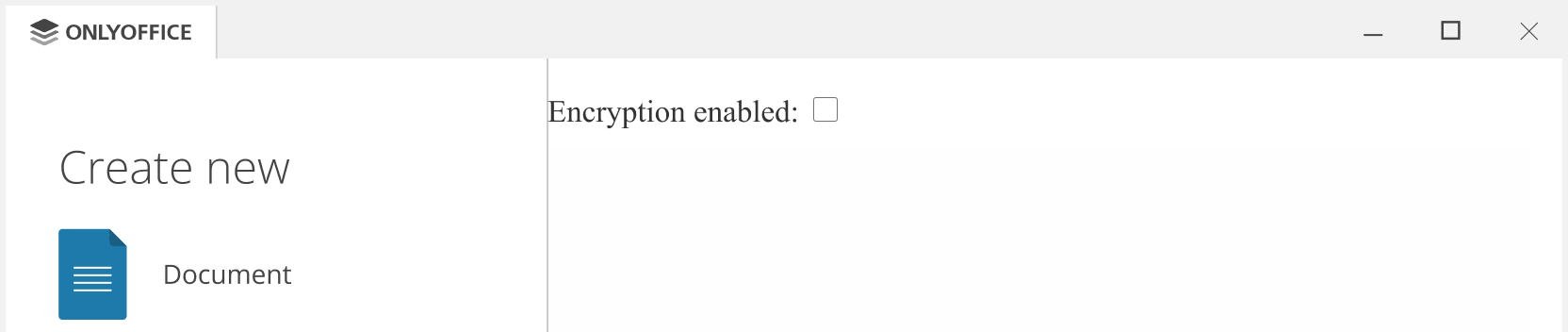
variations.cryptoMode
Type: string
The encryption mode. The available values:
- 0 - none (encryption is disabled);
- 1 - simple;
- 2 - advanced.
Example: "1"
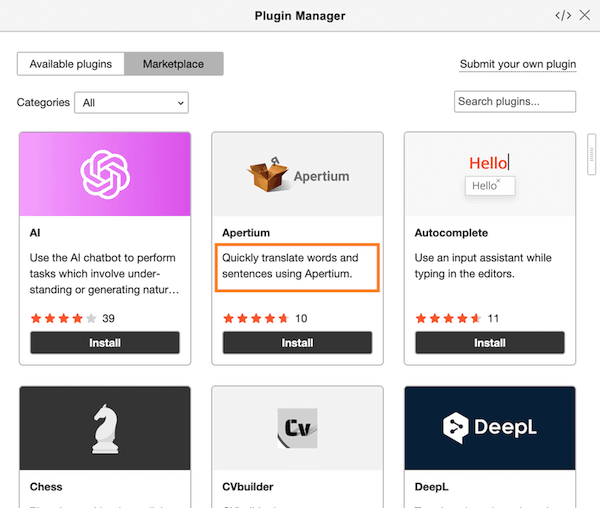
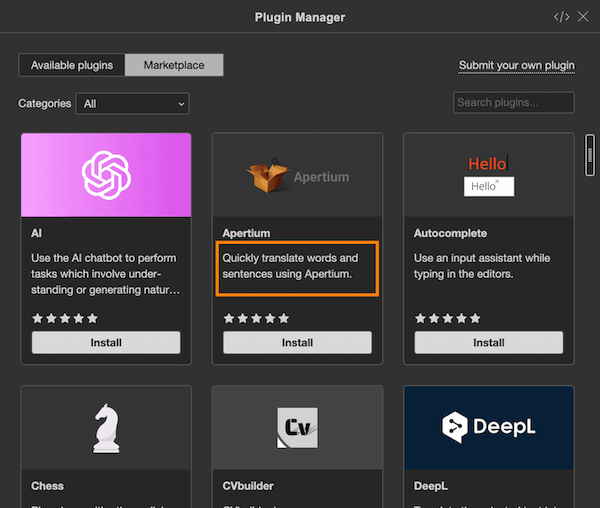
variations.description
Type: string
The description, i.e. what describes your plugin the best way. It will be displayed in the ONLYOFFICE Plugin Marketplace.
Example: "plugin description"
variations.descriptionLocale
Type: localeTranslate
Translations for the description field. The object keys are the two letter language codes (fr, de, it, etc.) and the values are the plugin description translation for each language.
Example: { "fr": "french plugin description" }
variations.EditorsSupport
Type: array of editorType
The editors which the plugin is available for (word, cell, slide, or pdf). The default value is [].
Example: ["word"]
editorType
The editors which the plugin is available for:
word- text document editor,cell- spreadsheet editor,slide- presentation editor,pdf- pdf editor.
Example:
{
  "variations": [
    {
      "EditorsSupport": ["word", "cell", "slide"]
    }
  ]
}
variations.events
Type: array of EventType
Starting from version 8.2, please use the attachEditorEvent method instead, which does not require this parameter.
Plugin events which are used in the current plugin code. Find out how to subscribe to events here.
Example: ["onClick"]
EventType
Type: string
Plugin event ("onDocumentContentReady", "onTargetPositionChanged", "onClick", "onInputHelperClear", "onInputHelperInput", etc.).
Example:
{
  "variations": [
    {
      "events": ["onClick"]
    }
  ]
}
variations.icons
Type: string
URL to the plugin icon image file. This URL allows setting your own rules for theme (name, type), styles (normal, hover, active), and scaling. More information can be found here.
Example: "url_to_icon"
variations.icons2
Type: array of object
Please use the variations.icons parameter instead.
Scalable icons for plugin extensions. More information can be found here.
Example: [{ "100%": { "normal": "icon.png" } }]
variations.initData
Type: string
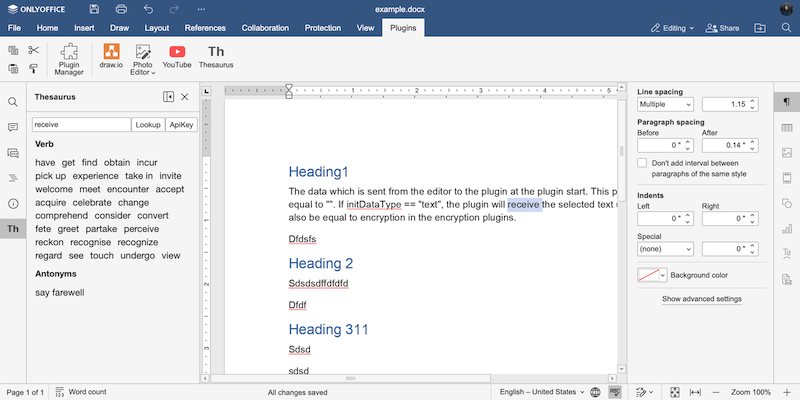
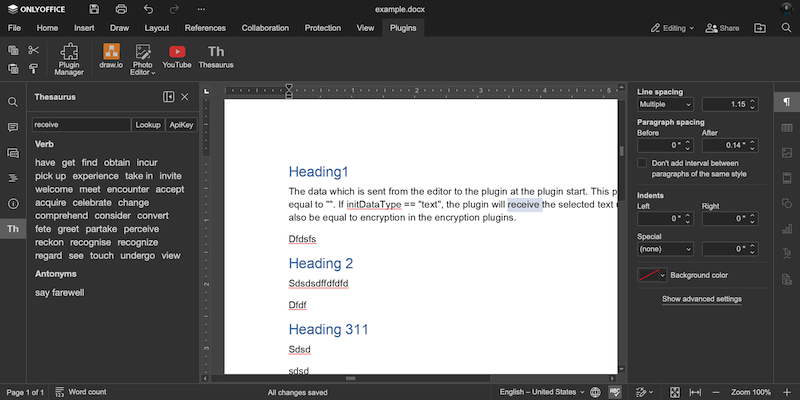
The data which is sent from the editor to the plugin at the plugin start. This parameter is usually equal to "". If initDataType == "text", the plugin will receive the selected text upon launch. It may also be equal to encryption in the encryption plugins.
Example: "text"
variations.initDataType
Type: initDataType
The data type selected in the editor and sent to the plugin (text, html, ole, desktop, desktop-external, sign, or none).
Example: "ole"
initDataType
The data type selected in the editor and sent to the plugin:
text- the text data,html- HTML formatted code,ole- OLE object data,desktop- the desktop editor data,destop-external- the main page data of the desktop app (system messages),none- no data will be send to the plugin from the editor,sign- the sign for the keychain plugin.
Example:
{
  "variations": [
    {
      "initDataType": "ole"
    }
  ]
}
variations.initOnSelectionChanged
Type: boolean
Specifies if the plugin watches the text selection events in the editor window. This parameter is set to true when the plugin works with the selected text and its output changes when the selection changes. For example, the Translator plugin displays the translation of the selected text.
Example: true
variations.isCustomWindow
Type: boolean
Specifies if the plugin uses a custom window, without standard borders and buttons (used only when type == "window").
Example: true
variations.isDisplayedInViewer
Type: boolean
Specifies if the plugin will be displayed in the viewer mode as well as in the editor mode (isDisplayedInViewer == true) or in the editor mode only (isDisplayedInViewer == false).
Example: true
variations.isInsideMode
Type: boolean
Please use the type parameter instead.
Specifies if the plugin must be displayed inside the editor panel instead of its own window.
Example: true
variations.isModal
Type: boolean
Please use the type parameter instead.
Specifies if the opened plugin window is modal (used for visual plugins only, and if isInsideMode is not true).
Example: true
variations.isSystem
Type: boolean
Please use the type parameter instead.
Specifies if the plugin is not displayed in the editor interface and is started in the background with the server (or desktop editors start) not interfering with other plugins, so that they can work simultaneously. Such a plugin cannot be disabled in the editor window.
Example: false
variations.isUpdateOleOnResize
Type: boolean
Specifies if an OLE object must be redrawn when resized in the editor using the vector object drawing type or not (used for OLE objects only, i.e. initDataType == "ole").
Example: true
variations.isViewer
Type: boolean
Specifies if the plugin is working when the document is available in the viewer mode only or not. The default value is false.
Example: false
variations.isVisual
Type: boolean
Please use the type parameter instead.
Specifies if the plugin is visual (will open a window for some action, or introduce some additions to the editor panel interface) or non-visual (will provide a button (or buttons) which is going to apply some transformations or manipulations to the document).
Example: true
variations.menu
Type: string
Please use the type parameter instead.
Specifies where the plugin will be placed (on the right or left panel).
Example: "right"
variations.screens
Type: array of string
Please use the variations.store.screenshots parameter instead.
Plugin screenshot image files used in the ONLYOFFICE Plugin Marketplace for the plugin description.
Example: ["resources/store/screenshots/screen_1.png"]
variations.size
Type: array of number
Plugin window size measured in pixels. This parameter is only used when type == "window".
Example: [600]
variations.store
Type: object
Plugin display options in ONLYOFFICE Plugin Marketplace.
Example:
{
  "background": {
    "light": "#F5F5F5",
    "dark": "#444444"
  },
  "categories": ["specAbilities", "work"],
  "icons": {
    "light": "resources/store/icons",
    "dark": "resources/store/icons"
  },
  "screenshots": ["resources/store/screenshots/screen_1.png"]
}
variations.store.background
Type: object
Background colors used for plugin icons in ONLYOFFICE Plugin Marketplace.
Example:
{
  "light": "#F5F5F5",
  "dark": "#444444"
}
variations.store.background.light
Type: string
The background color used for the light theme plugin icon.
Example: "#F5F5F5"
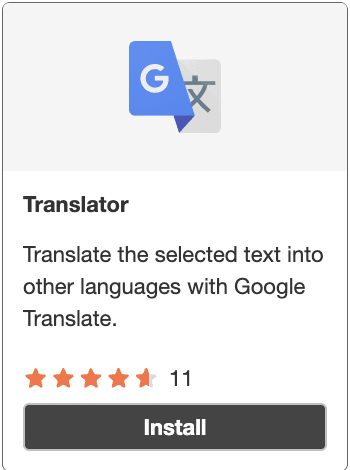
variations.store.background.dark
Type: string
The background color used for the dark theme plugin icon.
Example: "#444444"

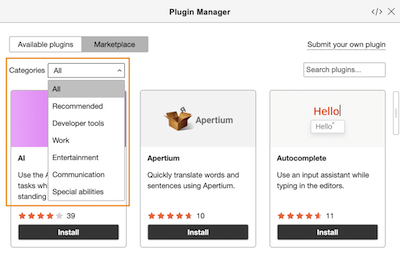
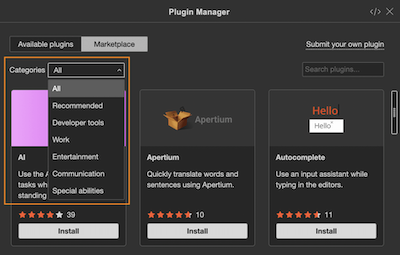
variations.store.categories
Type: array of string
Plugin categories in ONLYOFFICE Plugin Marketplace:
- "all" - All,
- "recommended" - Recommended,
- "devTools" - Developer tools,
- "work" - Work,
- "entertainment" - Entertainment,
- "communication" - Communication,
- "specAbilities" - Special abilities.
Example: ["specAbilities", "work"]
variations.store.icons
Type: object
Paths to the plugin icon image files used in the ONLYOFFICE Plugin Marketplace.
Example:
{
  "light": "resources/store/icons",
  "dark": "resources/store/icons"
}
variations.store.icons.light
Type: string
The path to the scalable plugin icons for the light theme. Name the icon files of different scales in the following way:
- 100% -
icon.png - 125% -
icon@1.25.png - 150% -
icon@1.5x.png - 175% -
icon@1.75.png - 200% -
icon@2x.png
Example: "resources/store/icons"
variations.store.icons.dark
Type: string
The path to the scalable plugin icons for the dark theme. Name the icon files of different scales in the following way:
- 100% -
icon.png - 125% -
icon@1.25.png - 150% -
icon@1.5x.png - 175% -
icon@1.75.png - 200% -
icon@2x.png
Example: "resources/store/icons"
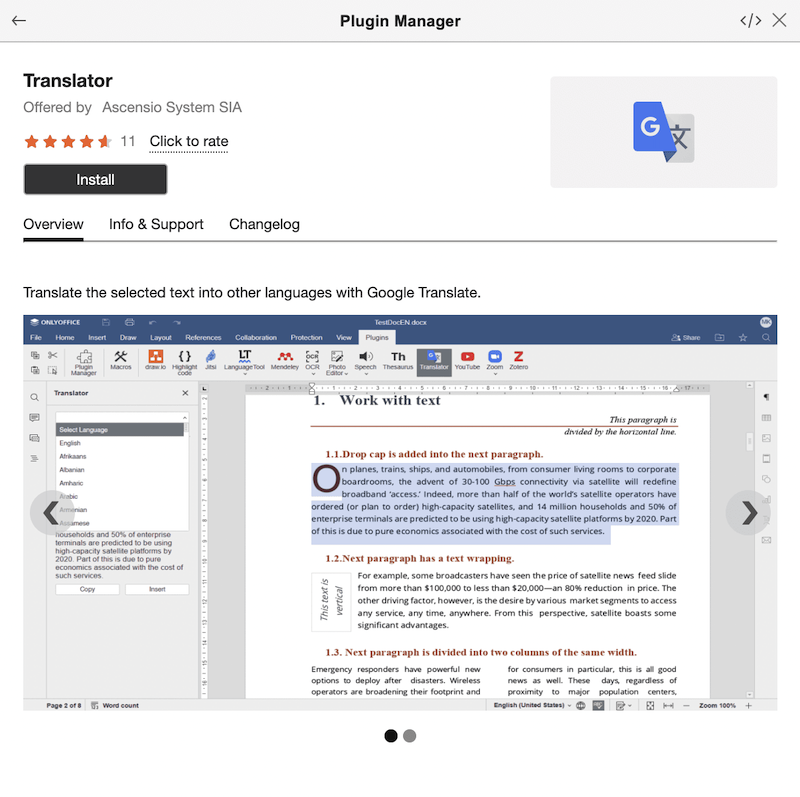
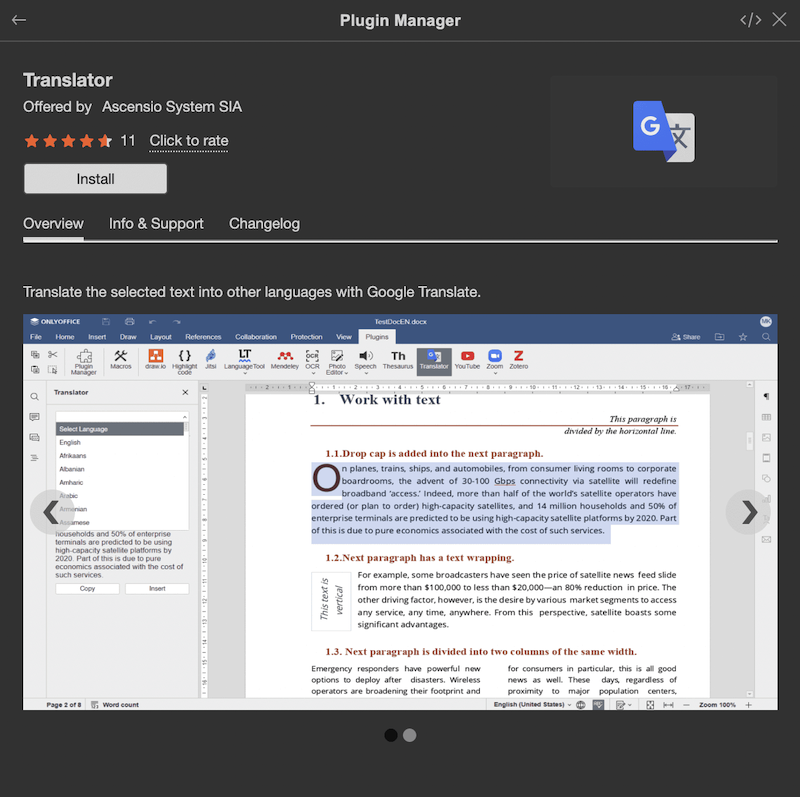
variations.store.screenshots
Type: array of string
Images that are used for the plugin description in the ONLYOFFICE Plugin Marketplace.
Example: ["resources/store/screenshots/screen_1.png"]
variations.type
Type: string
Plugin type. The available values:
- system - not displayed in the editor interface and started in the background with the server (or desktop editors start). Cannot be disabled.
- background - runs continuously once started. Its state (enabled / disabled) persists between sessions.
- window - operates as a standalone window upon launch.
- panel - opens in the left-side panel.
- panelRight - opens in the right-side panel.
- unvisible - invisible upon launch but can create windows later.
Example: "background"
A plugin of any type can create windows and tabs during its work.
variations.url
Type: string
Plugin entry point, i.e. an HTML file which connects the plugin.js file (the base file needed for work with plugins) and launches the plugin code. See the index.html section for the detailed information.
Example: "index.html"
version
Type: string
The plugin version.
Example: "1.0"
Example
{
  "baseUrl": "",
  "group": {
    "name": "group name",
    "rank": 2
  },
  "guid": "asc.{FFE1F462-1EA2-4391-990D-4CC84940B754}",
  "help": "url_to_help_page",
  "minVersion": "6.3.0",
  "name": "plugin name",
  "nameLocale": {
    "fr": "french plugin name",
    "es": "spanish plugin name"
  },
  "offered": "John Smith",
  "onlyofficeScheme": true,
  "variations": [
    {
      "buttons": [
        {
          "text": "Cancel",
          "primary": false,
          "isviewer": false,
          "textLocale": {
            "fr": "Annuler",
            "es": "Cancelar"
          }
        }
      ],
      "cryptoDisabledForExternalCloud": "true",
      "cryptoDisabledForInternalCloud": "true",
      "cryptoDisabledOnStart": "true",
      "cryptoMode": "1",
      "description": "plugin description",
      "descriptionLocale": {
        "fr": "french plugin description",
        "es": "spanish plugin description"
      },
      "EditorsSupport": ["word", "cell", "slide", "pdf"],
      "events": ["onClick"],
      "icons": "url_to_icon",
      "initData": "",
      "initDataType": "ole",
      "initOnSelectionChanged": true,
      "isCustomWindow": true,
      "isDisplayedInViewer": true,
      "isUpdateOleOnResize": true,
      "isViewer": true,
      "size": [600, 700],
      "store": {
        "background": {
          "light": "#F5F5F5",
          "dark": "#444444"
        },
        "categories": ["specAbilities", "work"],
        "icons": {
          "light": "resources/store/icons",
          "dark": "resources/store/icons"
        },
        "screenshots": ["resources/store/screenshots/screen_1.png"]
      },
      "type": "background",
      "url": "index.html"
    }
  ],
  "version": "1.0"
}