OData Import
Connects the OData (Open Data Protocol) service for importing external data into the spreadsheet editor. The plugin allows users to connect to OData feeds, browse available entity sets, and insert data directly into spreadsheet cells.
Plugin type: visual, non-system.
Supported editors: spreadsheets.
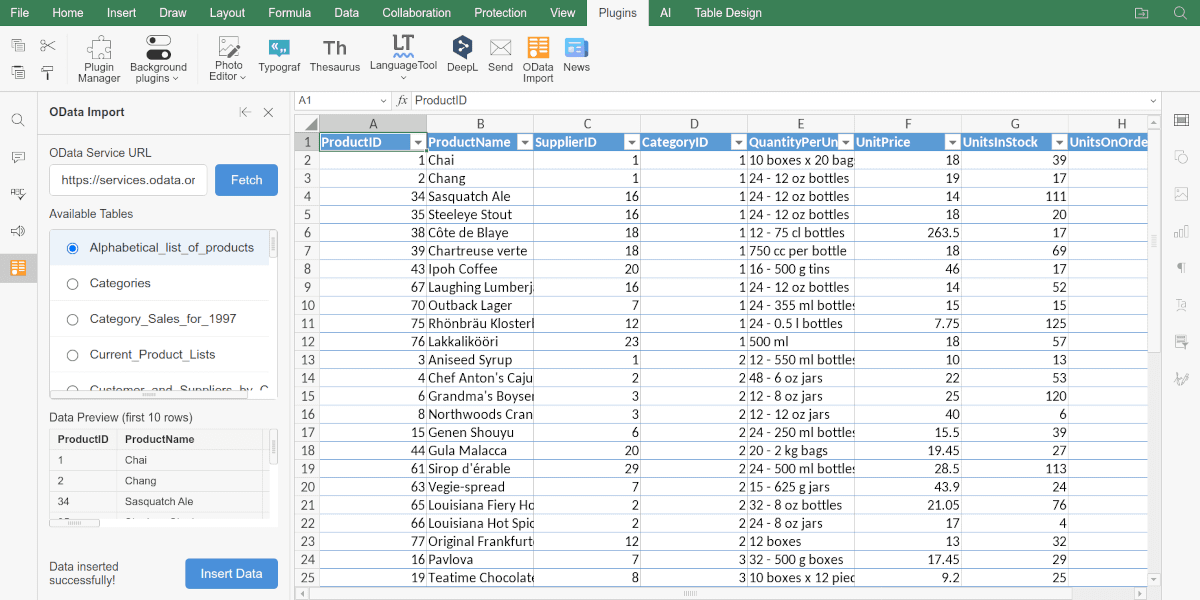
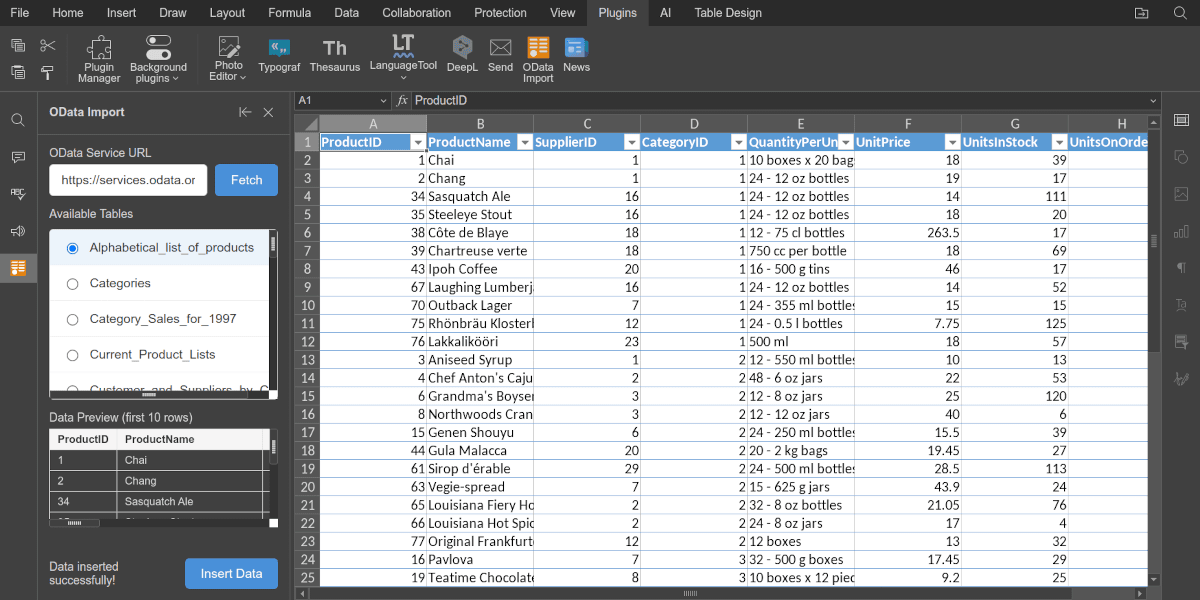
Installation
Download this plugin from GitHub and install it following the desktop, on-premises, or cloud installation instructions.
Usage
- Find the plugin on the Plugins tab.
- Enter the OData service URL and click the Fetch button.
- Select the tables you want to import from the Available Tables list.
- Click the Insert Data button to insert the selected data into the current spreadsheet.
Plugin structure
Repository on GitHub: odata.
-
config.json, index.html, and scripts/odata.js
-
Icons
-
The translations folder contains translations into Russian, German, Spanish, and French.
Config
{
  "name": "OData Import",
  "nameLocale": {
    "ru": "Импорт OData",
    "de": "OData Import",
    "fr": "Import OData",
    "es": "Importar OData"
  },

  "guid": "asc.{6B290456-D38E-4E00-9387-C3105CCF9BDC}",
  "version": "1.0.0",
  "minVersion": "8.2.0",

  "variations": [
    {
      "description": "Import data from OData feeds into your spreadsheet. Enter an OData service URL, select tables, and paste data directly into cells.",
      "descriptionLocale": {
        "ru": "Импортируйте данные из каналов OData в электронную таблицу. Введите URL-адрес службы OData, выберите таблицы и вставьте данные непосредственно в ячейки.",
        "de": "Importieren Sie Daten aus OData-Feeds in Ihre Tabelle. Geben Sie eine OData-Service-URL ein, wählen Sie Tabellen aus und fügen Sie Daten direkt in Zellen ein.",
        "fr": "Importez des données depuis des flux OData dans votre feuille de calcul. Entrez l'URL d'un service OData, sélectionnez des tables et collez les données directement dans les cellules.",
        "es": "Importe datos desde fuentes OData a su hoja de cálculo. Ingrese una URL de servicio OData, seleccione tablas y pegue los datos directamente en las celdas."
      },
      "url": "index.html",
      "icons": "resources/%theme-type%(light|dark)/icon.svg",
      "EditorsSupport": ["cell"],
      "type": "panel",

      "initDataType": "none",
      "buttons": [
        {
          "text": "Insert",
          "primary": true,
          "textLocale": {
            "ru": "Вставить",
            "fr": "Insérer",
            "es": "Insertar",
            "de": "Einfügen"
          },
          "isViewer": false
        },
        {
          "text": "Cancel",
          "primary": false,
          "textLocale": {
            "ru": "Отмена",
            "fr": "Annuler",
            "es": "Cancelar",
            "de": "Abbrechen"
          }
        }
      ],
      "events": [],

      "store": {
        "background": {
          "light": "#FEF8F2",
          "dark": "#FEF8F2"
        },
        "screenshots": [
          "resources/store/screenshots/screen_1.png",
          "resources/store/screenshots/screen_2.png",
          "resources/store/screenshots/screen_3.png",
          "resources/store/screenshots/screen_4.png"
        ],
        "icons": {
          "light": "resources/light",
          "dark": "resources/dark"
        },
        "categories": ["recommended"]
      }
    }
  ],

  "onlyofficeScheme": true
}
Methods and events
- button
- init
- onTranslate
- callCommand
- Asc.scope object
Support
If you want to request a feature or report a bug regarding this plugin, use the issues section on GitHub.