.Net 示例指南
开始之前
为了让示例能够正常工作,请确保满足以下两个条件:
- 已安装 ONLYOFFICE Document Builder。有关更多信息,请访问安装页面。
- 您将要存储下载的示例的目录具有一般编辑权限,以便保存由 Document Builder 创建的文件。
- .NET SDK。您可以使用 .NET 9、.NET 8、.NET Standard 或 .NET Core
Hello world 示例
using docbuilder_net;

using OfficeFileTypes = docbuilder_net.FileTypes;
using CValue = docbuilder_net.CDocBuilderValue;
using CContext = docbuilder_net.CDocBuilderContext;

namespace Sample
{
    public class Program
    {
        public static void Main(string[] args)
        {
            // Specify the path to the Document Builder work directory
            string workDirectory = "C:\\document-builder";
            string resultPath = "../../../result.docx";

            // 在路径中添加 Docbuilder 的 dll 文件
            System.Environment.SetEnvironmentVariable("PATH", System.Environment.GetEnvironmentVariable("PATH") + ";" + workDirectory);

            CreateHelloWorld(workDirectory, resultPath);
        }

        public static void CreateHelloWorld(string workDirectory, string resultPath)
        {
            var doctype = (int)OfficeFileTypes.Document.DOCX;

            // 初始化 DocBuilder
            CDocBuilder.Initialize(workDirectory);
            CDocBuilder builder = new();

            // 创建 docx 文件
            builder.CreateFile(doctype);

            CContext context = builder.GetContext();
            CValue global = context.GetGlobal();
            CValue api = global["Api"];

            // 添加 Hello, World!
            CValue document = api.Call("GetDocument");
            CValue paragraph = api.Call("CreateParagraph");
            CValue content = context.CreateArray(1);
            paragraph.Call("AddText", "Hello, World!");
            content[0] = paragraph;
            document.Call("InsertContent", content);

            // 保存文件并关闭 DocBuilder
            builder.SaveFile(doctype, resultPath);
            builder.CloseFile();

            CDocBuilder.Destroy();
        }
    }
}
运行示例:
- Windows
- macOS
像这样运行 C# 编译器:
c:\windows\Microsoft.NET\Framework\v3.5\bin\csc.exe
        /t:exe /out:MyApplication.exe MyApplication.cs  ...
要运行生成的 EXE 文件,在命令提示符中输入 MyApplication,然后按 <ENTER> 键。
备注
仅在安装了 Visual Studio 和 .NET SDK 的 Windows 上可用。
在 Mac 上,语法类似,只是 C# 编译器名为 csc:
csc /target:exe /out:MyApplication.exe MyApplication.cs ...
然后运行它:
mono MyApplication.exe
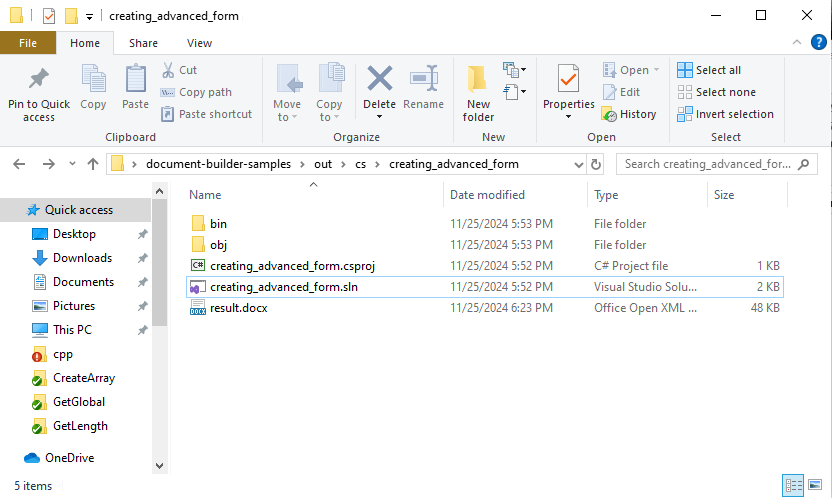
运行其他示例
从 https://github.com/ONLYOFFICE/document-builder-samples 克隆包含 Document Builder 示例的存储库。创建的文件夹必须具有一般编辑权限。
git clone https://github.com/ONLYOFFICE/document-builder-samples
cd document-builder-samples
项目文件夹包含带有 C# 示例的 cs 文件夹。每个示例都有自己的文件夹,其中包含 Program.cs 程序文件。