自定义 AI 工具(测试版)
自定义 AI 工具是定义 AI 代理功能的函数。它们指定:
- 要向 AI 模型发送什么请求;
- 要对文档执行什么操作。
添加自定义 AI 工具可以扩展 AI 代理的功能,并使其能够适应特定的使用场景。无论是处理文档、电子表格还是演示文稿,自定义 AI 工具都能让你将 AI 驱动的操作直接集成到工作流程中,并使代理的行为符合你的需求。
你可以在此处找到现成的自定义 AI 工具,也可以创建自己的工具。
工作原理
ONLYOFFICE AI 代理中的自定义 AI 工具调用流程与 LLM API 中的函数调用类似:
- 函数注册。 每个函数通过名称、参数列表、描述和使用示例进行注册。这些元数据告知 AI 模型该函数的用途及调用时机。
- 用户提示词。 用户打开 AI 代理并输入请求。
- 函数选择。 AI 模型分析提示词和可用函数列表,然后决定调用哪个函数及传入哪些参数。
- 执行。 所选函数运行:向 AI 模型发送请求,并使用 Office API 将结果应用到文档中。
设置
要添加自定义 AI 工具并使其在 AI 代理中可用:
- 将 onlyoffice.github.io 仓库克隆到本地。
- 在 helpers 文件夹(
sdkjs-plugins/content/ai/.dev/helpers)中编写你的函数。根据编辑器类型,将其放入cell/、slide/或word/文件夹(参见下方函数注册)。 - 更新
config.json中 AI 插件的当前版本号以避免缓存问题(例如3.0.3→3.0.4)。 - 运行
helpers.py文件。 - 选择
ai文件夹(sdkjs-plugins/content/ai)中的所有插件文件,将其压缩,并将压缩包重命名为ai.plugin。 - 将文件放回
sdkjs-plugins/content/ai/deploy。 - 推送更改。
- 从该仓库构建你的 GitHub Pages 网站(参见 GitHub Pages 文档)。
- 在你的 GitHub Pages URL 后附加
/store/index.html以准备自定义商店链接:https://YOUR-USERNAME.github.io/onlyoffice.github.io/store/index.html。 - 前往插件 > 插件管理器。
- 点击插件管理器右上角的商店图标
(</>),输入你的自定义商店 URL。 - 更新 AI 插件。
示例:commentText 函数
commentText 函数允许直接向文档中添加 AI 生成的评论。其工作方式如下:
- 确保已安装 AI 插件且配置正确。
- 选择要添加评论的单词。
- 打开 AI 代理对话框(
CTRL + /)。 - 输入对 AI 代理的指令。例如:
解释这段文字或为这段文字添加脚注。 - 按
Enter。
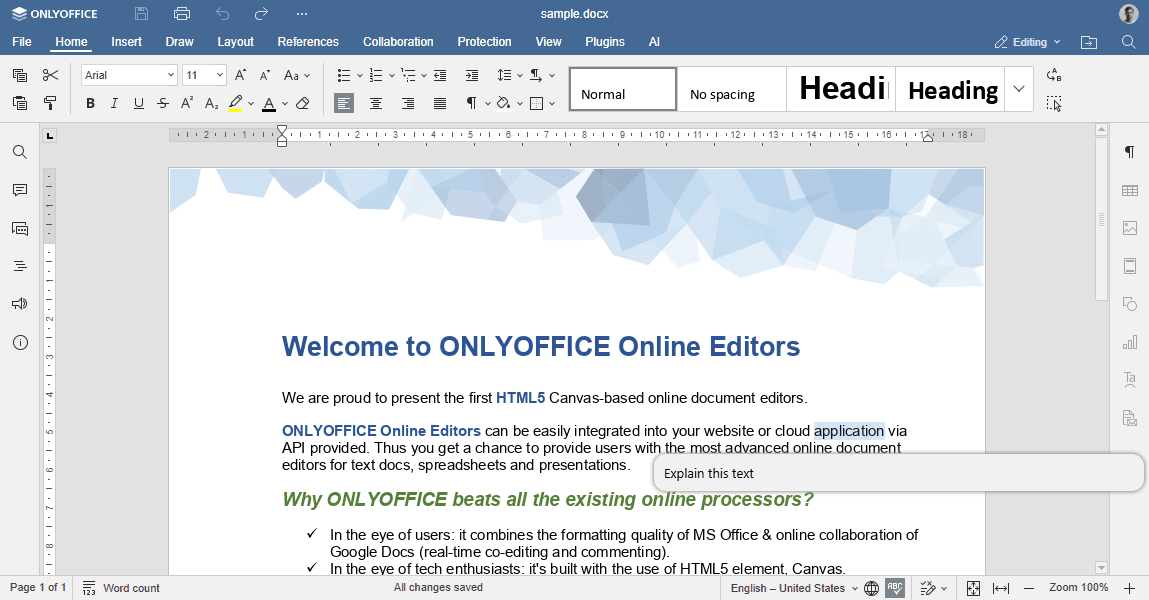
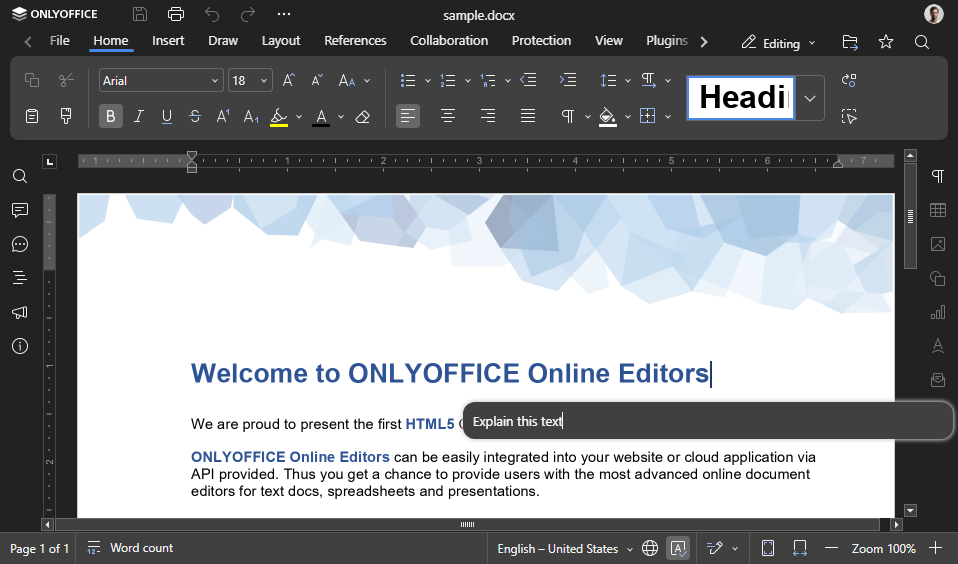
AI 代理将运行 commentText 函数,并在文档中插入相关评论。
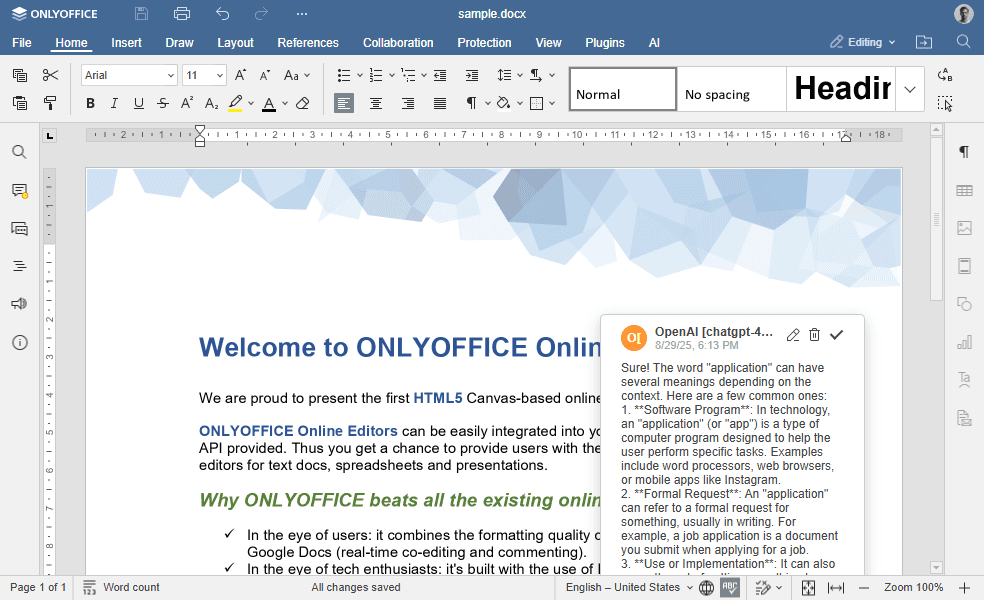
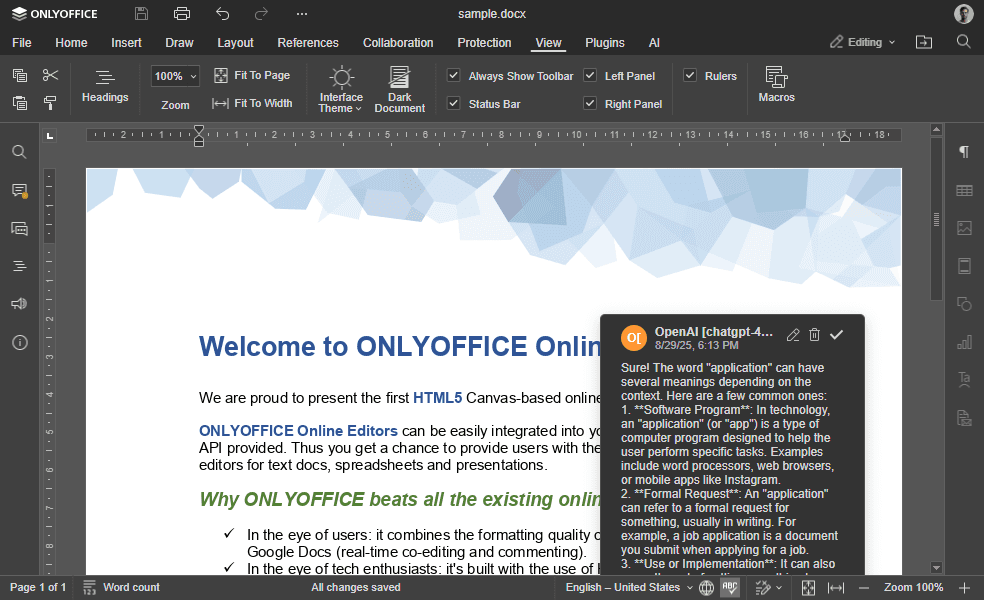
如何创建自定义 AI 工具
创建自定义 AI 工具的过程包括两个主要阶段:
- 函数注册:在代理环境中注册 AI 函数及其元数据。
- 函数执行:实现核心逻辑,包括向 AI 模型发送请求以及使用 Office API 操作文档内容。
函数注册
要添加新函数,需使用 RegisteredFunction 对象,该对象将自定义函数的元数据和逻辑添加到 AI 代理中。
参数
| 名称 | 类型 | 示例 | 描述 |
|---|---|---|---|
| name | string | "commentText" | 函数名称。 |
| parameters | object | { type: "object", properties: { prompt: { type: "string" } }, required: ["prompt"] } | 描述函数期望从 AI 获得的参数的对象。 |
| examples | 对象数组 | [{ prompt: "Explain this text", arguments: { prompt: "Explain this text", type: "comment" } }] | 供 AI 参考的正确函数调用示例。 |
| description | string | "Adds a comment or footnote to explain or annotate the selected text." | 向 AI 说明该函数用途的描述。 |
这些参数供 AI 使用。RegisteredFunction() 对象在 helperFuncs.js 文件中定义。
示例
完整的函数流程如下所示,内联注释说明了每个步骤:
(function () {
  // 为 AI 代理注册 "commentText" 工具。
  // 以下元数据(name/description/parameters/examples)供模型
  // 判断何时以及如何调用此工具。
  let func = new RegisteredFunction({
    name: "commentText",
    description:
      "Adds a comment or footnote to explain or annotate the selected text. If no text is selected, works with the current paragraph.",
    parameters: {
      type: "object",
      properties: {
        // 给 AI 模型的指令(例如"解释这段文字")。
        prompt: {
          type: "string",
          description: "The instruction for what to explain or comment about the text.",
        },
        // 决定响应将以何种方式插入文档。
        // 默认行为是添加评论。
        type: {
          type: "string",
          enum: ["comment", "footnote"],
          description: "Whether to add as a comment or as a footnote.",
          default: "comment",
        },
      },
      required: ["prompt"],
    },
    // 示例调用,教导模型提供正确的 JSON 参数。
    examples: [
      {
        prompt: "Explain this text",
        arguments: { prompt: "Explain this text", type: "comment" },
      },
      {
        prompt: "Add a historical context as footnote",
        arguments: { prompt: "Add historical context", type: "footnote" },
      },
      {
        prompt: "Comment on the significance",
        arguments: { prompt: "Explain significance", type: "comment" },
      },
    ],
  });

  // 当 AI 代理调用 "commentText" 时实际执行的逻辑。
  func.call = async function (params) {
    // 决定以评论还是脚注形式插入。
    let type = params.type;
    let isFootnote = "footnote" === type;

    // 1) 获取选定的文本(如果未选中任何内容则回退到当前单词)。
    // Asc.Editor.callCommand() 在编辑器上下文中执行,因此可以使用 Office API 调用。
    let text = await Asc.Editor.callCommand(function () {
      let doc = Api.GetDocument();
      let range = doc.GetRangeBySelect();
      let text = range ? range.GetText() : "";

      if (!text) {
        // 如果未选中任何内容,使用当前单词并选中它
        text = doc.GetCurrentWord();
        doc.SelectCurrentWord();
      }

      return text;
    });

    // 2) 将用户指令与选定文本组合,构建发送给 AI 模型的提示词。
    let argPrompt = params.prompt + ":\n" + text;

    // 3) 初始化用于与 AI 模型通信的请求引擎。
    let requestEngine = AI.Request.create(AI.ActionType.Chat);
    if (!requestEngine) return;

    // 确保 EndAction 只调用一次。
    let isSendedEndLongAction = false;
    async function checkEndAction() {
      if (!isSendedEndLongAction) {
        await Asc.Editor.callMethod("EndAction", [
          "Block",
          "AI (" + requestEngine.modelUI.name + ")",
        ]);
        isSendedEndLongAction = true;
      }
    }

    // 启动编辑器操作,使整个操作可以作为单个块进行撤销/重做。
    await Asc.Editor.callMethod("StartAction", [
      "Block",
      "AI (" + requestEngine.modelUI.name + ")",
    ]);
    await Asc.Editor.callMethod("StartAction", ["GroupActions"]);

    // 4) 向 AI 模型发送请求并在回调中处理响应,
    // 将响应作为脚注或评论插入。
    if (isFootnote) {
      let addFootnote = true;

      await requestEngine.chatRequest(argPrompt, false, async function (data) {
        if (!data) return;

        // 收到第一个数据块后立即结束操作块(流式传输安全)。
        await checkEndAction();

        // 将 data/model 信息传入编辑器作用域,以便在 callCommand() 内部使用。
        Asc.scope.data = data;
        Asc.scope.model = requestEngine.modelUI.name;

        // 创建脚注一次(在第一个数据块时),然后继续向其中插入文本。
        if (addFootnote) {
          await Asc.Editor.callCommand(function () {
            Api.GetDocument().AddFootnote();
          });
          addFootnote = false;
        }

        // 在当前光标位置(新脚注内)插入 AI 生成的文本。
        await Asc.Library.PasteText(data);
      });
    } else {
      let commentId = null;

      await requestEngine.chatRequest(argPrompt, false, async function (data) {
        if (!data) return;

        // 收到第一个数据块后立即结束操作块(流式传输安全)。
        await checkEndAction();

        // 将响应/模型和当前评论 ID 存入作用域,以便 callCommand() 访问。
        Asc.scope.data = data;
        Asc.scope.model = requestEngine.modelUI.name;
        Asc.scope.commentId = commentId;

        // 创建评论一次(在第一个数据块时),然后将后续数据块追加到同一评论中。
        commentId = await Asc.Editor.callCommand(function () {
          let doc = Api.GetDocument();

          let commentId = Asc.scope.commentId;
          if (!commentId) {
            // 向选定范围添加新评论。
            let range = doc.GetRangeBySelect();
            if (!range) return null;

            let comment = range.AddComment(
              Asc.scope.data,
              Asc.scope.model,
              "uid" + Asc.scope.model
            );
            if (!comment) return null;

            // 在 UI 中显示评论并返回其 ID 以供后续追加。
            doc.ShowComment([comment.GetId()]);
            return comment.GetId();
          }

          // 将新的流式文本块追加到现有评论中。
          let comment = doc.GetCommentById(commentId);
          if (!comment) return commentId;

          comment.SetText(comment.GetText() + Asc.scope.data);
          return commentId;
        });
      });
    }

    // 即使响应在单个数据块中完成,也确保操作已关闭。
    await checkEndAction();
    await Asc.Editor.callMethod("EndAction", ["GroupActions"]);
  };

  return func;
})();
备注
为了确保在请求执行后可以回滚整个更改块,我们在 commentText 函数中使用了 StartAction 和 EndAction 方法。
AI 代理功能随着当今数字世界的需求不断发展。通过创建适合特定使用场景的自定义 AI 工具来扩展其功能吧。