跳到主要内容

ArticleItem

One catalog entry of the Article panel's body: an icon, a label and an optional badge. The Article page describes it in full.

ArticleItemArticleItem

Props​

PropertyTypeDescription
iconstringundefinedCatalog item icon.
textstringRequired. Catalog item text.
showTextbooleanundefinedSets the catalog item to display text.
onClick((e: MouseEvent<Element, MouseEvent>, id?: string | undefined) => void) | undefinedInvokes a function upon clicking on a catalog item.
onDrop((id?: string | undefined, text?: string | undefined, item?: ArticleItemType | undefined) => void) | undefinedInvokes a function upon dragging and dropping a catalog item.
showInitialbooleanundefinedTells when the catalog item should display initial on icon, text should be hidden.
isEndOfBlockbooleanundefinedSets the catalog item as end of block.
isActivebooleanundefinedSets catalog item active.
isDraggingbooleanundefinedSets the catalog item available for dragndrop.
isDragActivebooleanundefinedSets the catalog item active for dragndrop.
showBadgebooleanundefinedSets the catalog item to display badge.
labelBadgestringnumberundefinedLabel in catalog item badge.
iconBadgestringundefinedSets custom badge icon.
onClickBadge((id?: string | undefined) => void) | undefinedInvokes a function upon clicking on the catalog item badge.
isHeaderbooleanundefinedSets the catalog item to be displayed as a header.
folderIdstringundefinedAccepts folder id.
badgeTitlestringundefinedTitle for the badge tooltip.
badgeComponentReactNodeCustom badge component.
titlestringundefinedTitle for the item tooltip.
linkDataTArticleLinkDataRequired. Link data for routing.
itemArticleItemTypeundefinedItem data.
iconNodeReactNodeCatalog item icon for SSR.
withAnimationbooleanundefined
dataTooltipIdstringundefined
isDisabledbooleanundefined

Stories​

Default​

DefaultDefault

Icon Only​

Icon OnlyIcon Only

With Badge​

With BadgeWith Badge

With Custom Badge​

With Custom BadgeWith Custom Badge

Active​

ActiveActive

Dragging​

DraggingDragging

Drag Target​

Drag TargetDrag Target HeaderHeader

End Of Block​

End Of BlockEnd Of Block

Css Customization​

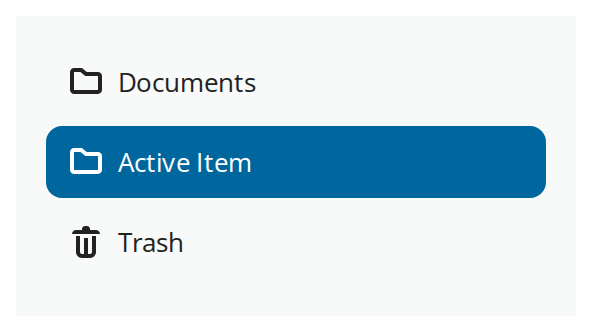
The row's variables set on one wrapper -- they are listed under CSS variables on the Article page.
Css CustomizationCss Customization