Add watermark to all pages
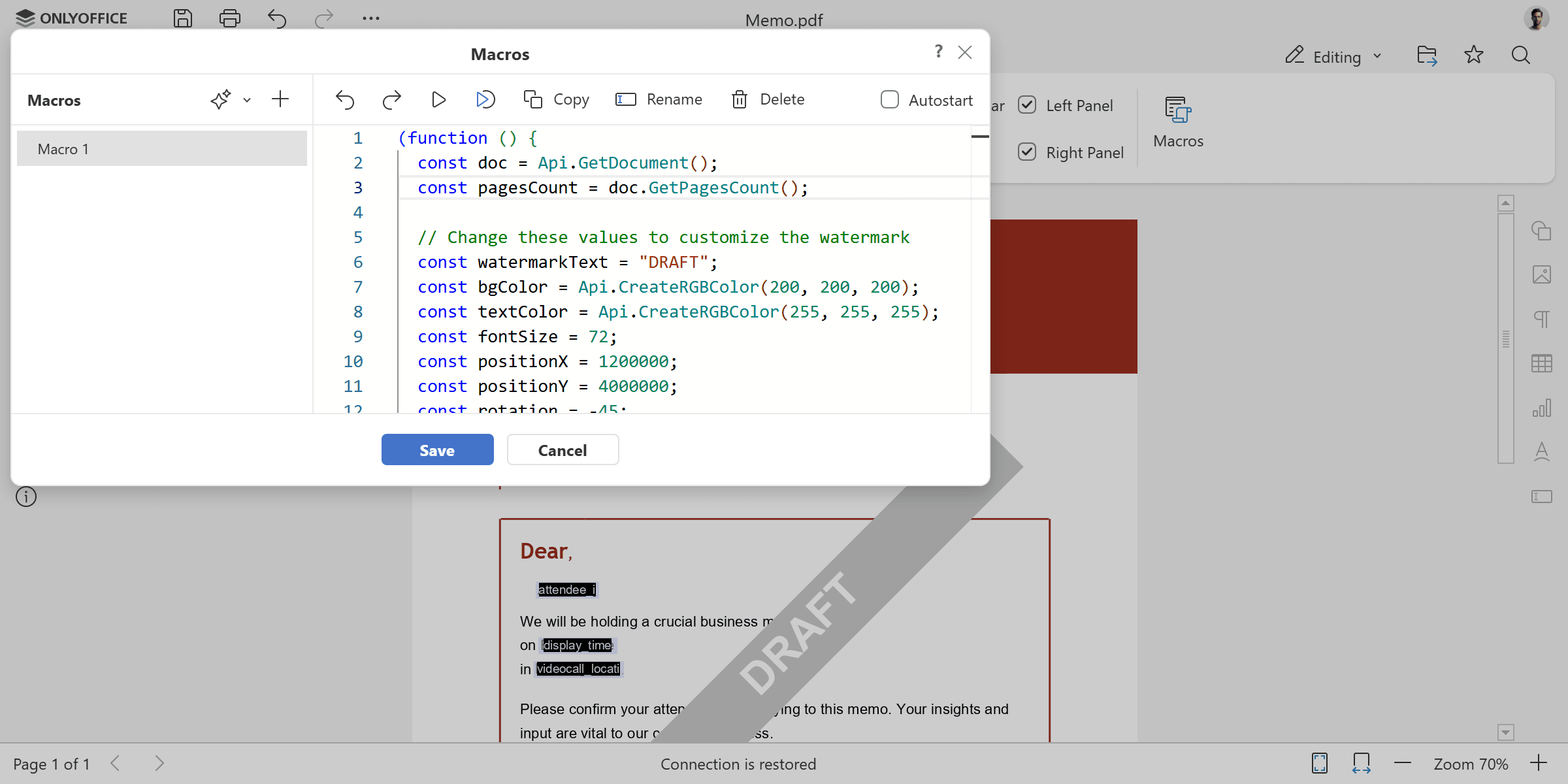
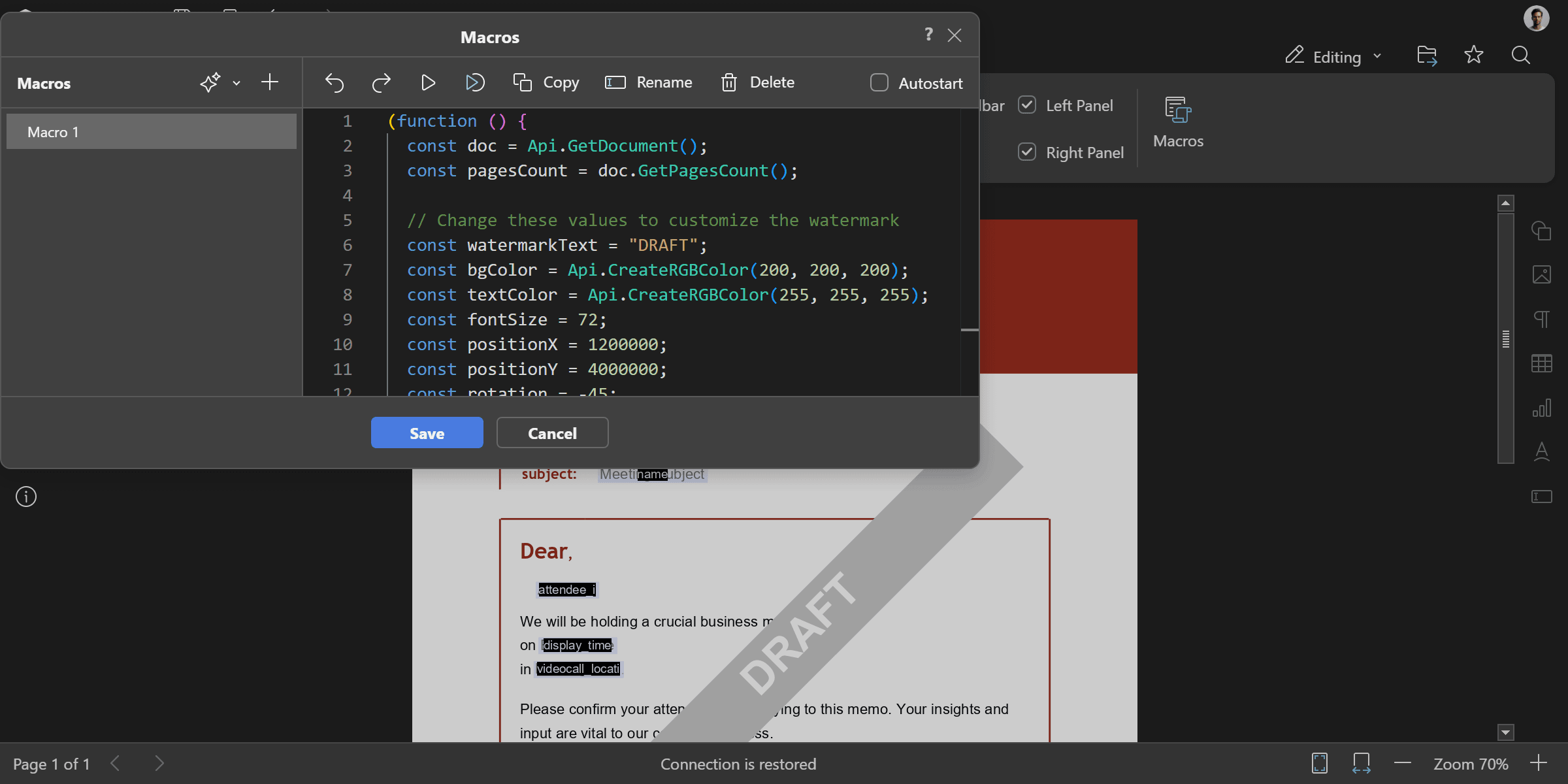
Adds a diagonal watermark shape to every page of the PDF document. The watermark is a gray rectangle rotated at -45 degrees with bold white text. You can change the watermark text, color, size, and position to fit your needs.
(function () {
  const doc = Api.GetDocument();
  const pagesCount = doc.GetPagesCount();

  // Change these values to customize the watermark
  const watermarkText = "DRAFT";
  const bgColor = Api.CreateRGBColor(200, 200, 200);
  const textColor = Api.CreateRGBColor(255, 255, 255);
  const fontSize = 72;
  const positionX = 1200000;
  const positionY = 4000000;
  const rotation = -45;

  // For each page in the document add a watermark
  for (let i = 0; i < pagesCount; i++) {
    const page = doc.GetPage(i);
    const fill = Api.CreateSolidFill(bgColor);
    const stroke = Api.CreateStroke(0, Api.CreateNoFill());
    const watermark = Api.CreateShape(
      "rect",
      160 * 36000,
      20 * 36000,
      fill,
      stroke,
    );
    watermark.SetPosition(positionX, positionY);
    watermark.SetRotation(rotation);
    // Get the content of the watermark and add the text, font size, bold and fill color
    const content = watermark.GetContent();
    const para = content.GetElement(0);
    para.SetJc("center");
    const run = para.AddText(watermarkText);
    run.SetFontSize(fontSize);
    run.SetBold(true);
    run.SetFill(Api.CreateSolidFill(textColor));

    // Add the watermark to the page
    page.AddObject(watermark);
  }
})();
Methods used: GetDocument, CreateSolidFill, CreateRGBColor, CreateStroke, CreateNoFill, CreateShape, SetRotation, GetContent, GetElement, SetJc, AddText, SetFontSize, SetBold, SetFill, GetPagesCount, GetPage, SetPosition, AddObject
Result